AI photo booth for events experiences are moving fast from novelty to serious planning item for weddings, corporate activations and private celebrations. In 2026, they combine traditional event photography with generative AI to turn guest portraits into themed artworks, campaign assets or playful avatars—while raising new questions about speed, costs and privacy.
What is an AI photo booth for events?
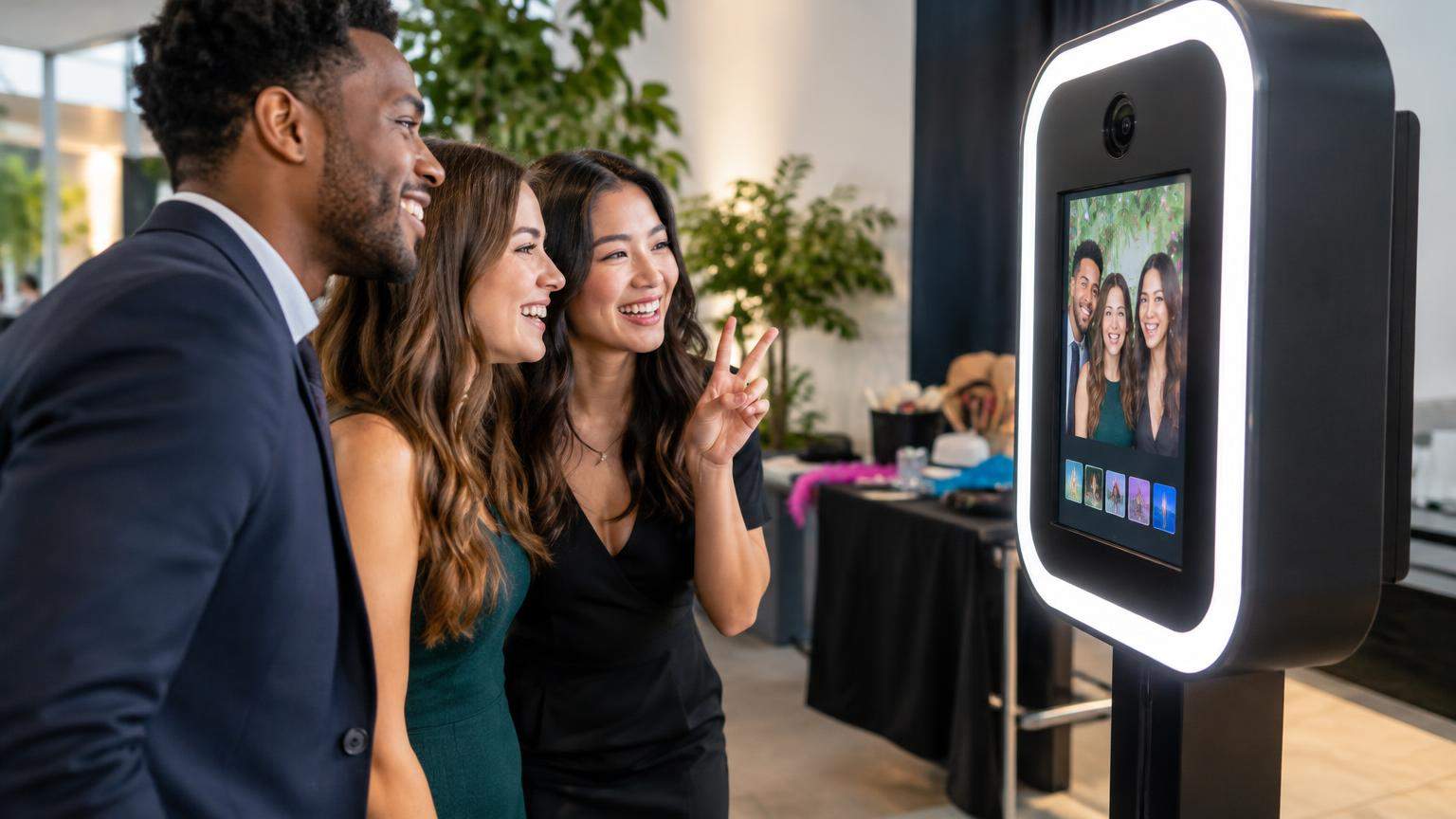
An AI photo booth for events is an event photo experience where guest images are captured at a kiosk or on personal devices and then processed by artificial intelligence to change the style, background or look of the image—often in dramatic, themed ways.
Vendors such as Snapbar describe their AI photo booth as software that lets guests take or upload a photo and then generate a transformed image in a chosen theme, for example time‑travel looks or branded campaign art. [1] Traditional photo booths, by contrast, capture and instantly print photos with fixed layouts, simple filters or green‑screen backgrounds. [2]
Filters vs generative AI transformations
Understanding the difference between ordinary filters and generative AI is key to planning:
- Conventional filters and green screen simply apply pre‑built adjustments on top of the original photo—things like colour shifts, beauty softening, or swapping a static background using chroma key. The underlying image data is unchanged. [2]
- Generative AI transformations use machine‑learning models to redraw the image or large parts of it. They can restyle clothing, add props, change environments or convert the whole scene into an illustration, painting or cinematic style while preserving the guest’s likeness. [1][9]
Most event AI photo booths today focus on fun, stylised portraits rather than identifying who guests are. This distinction matters for privacy law, because facial recognition for identification is treated much more strictly than decorative image processing in European guidance. [3][4]
When an AI photo booth makes sense
Event organisers typically choose an AI photo booth when they want:
- Highly shareable, on‑brand visuals for product launches, conferences or festivals, with event logos and campaign slogans embedded in the artwork. [1]
- Immersive themes at weddings and private parties—such as “vintage Bollywood posters”, “retro 90s album covers” or “futuristic office heroes”. [6][7]
- Hybrid or virtual participation, where guests at home join via a web link instead of standing in a physical booth. [1]
For more conservative events, or where instant printing speed matters more than stylisation, a traditional photo booth can still be the better fit.
How an AI photo booth works: the guest journey
While every provider has its own interface, the guest journey at an AI photo booth tends to follow the same steps across weddings, corporate events and private celebrations.
1. Accessing the booth
Guests usually start in one of three ways:
- Walk‑up kiosk: A freestanding booth or mirror with a touchscreen. Guests tap “Start” and follow on‑screen prompts. DSLR‑based walk‑up booths are common at premium weddings and corporate activations. [5][6]
- Tablet or iPad stand: A slim tablet display on a stand, used for lighter setups and social events. [10]
- Web or QR experience: Some providers offer a mobile‑first link or QR code; guests scan it and use their own phone camera. Snapbar highlights this kind of web‑based AI booth for both in‑person and virtual events. [1]
2. Capturing the photo
Once inside the experience, guests take a selfie or are photographed by an attendant:
- DSLR or mirrorless cameras are common in high‑end booths, offering better low‑light performance and print quality for large venues and dim ballrooms. Providers such as Eleganza and CaptureME combine DSLR capture with AI processing and on‑site prints. [5][6]
- Tablet cameras keep setups compact and easier to move between breakouts or cocktail spaces, often used where the emphasis is fast social sharing rather than gallery‑quality prints. [10]
Attendants may capture a burst of images and let guests choose their favourite before sending it to AI, which helps avoid processing poor shots that guests will delete anyway.
3. Choosing AI themes and styles
Next, guests select from a set of AI “experiences” or themes:
- Corporate events might offer styles like “futuristic tech founder”, “comic‑book superhero” or “vintage yearbook headshot” customised with brand elements. [1][7]
- Weddings and private parties may focus on romantic, glam or retro looks (e.g., black‑and‑white glamour, film‑grain dancefloor, historical costumes). [5][6]
Many vendors market a large catalogue of AI looks—Eleganza advertises more than 170 styles—so planners can pre‑select a focused set that fits the event theme and avoids anything that might be inappropriate for the audience. [6]
4. AI processing in the background
After a style is chosen, the booth software sends the image and style prompt to an AI model.
Most systems in 2026 rely on cloud‑based generative models hosted by third‑party providers. A typical workflow is:
- The captured image is uploaded from the booth PC or tablet to a secure cloud service.
- An AI model generates the transformed image (sometimes multiple versions).
- The result is sent back to the booth software or directly to a web gallery. [1][8][10]
Cloud processing makes it easier to update models and scale capacity, but it also means the booth is strongly dependent on a stable internet connection. CaptureME’s 2026 lookbook, for example, flags “Wi‑Fi required” for its AI experience. [5]
Emerging research highlights the potential for on‑device or edge generative AI to reduce latency and improve privacy, though such setups are still less common in off‑the‑shelf booth products. [9]
5. Preview, sharing and printing
When processing is complete, guests see their transformed photo and choose how to receive it:
- On‑screen preview: The AI image is displayed on the booth touchscreen or the guest’s phone for approval.
- Digital delivery: Guests can receive an email or SMS link, or scan a QR code that takes them to the final image in a gallery. [1][6][10]
- Prints: DSLR‑based booths commonly produce 4×6 prints or classic photo strips with the AI artwork, custom layouts and event branding layered on top. Eleganza and CaptureME both pair AI portraits with on‑site printing. [5][6]
Some providers separate capture and sharing: one station is dedicated to taking photos, while nearby “sharing kiosks” handle browsing galleries, texting photos and reprinting. This can reduce queue times at busy events.
6. Post‑event galleries
Many AI photo booth providers host a branded online gallery after the event, sometimes with separate pages for different AI themes or activations. [1][6][10] Organisers should confirm how long galleries stay live and who can access them, since this directly affects privacy and data‑retention obligations. [3][8]
Hardware and software behind AI photo booths
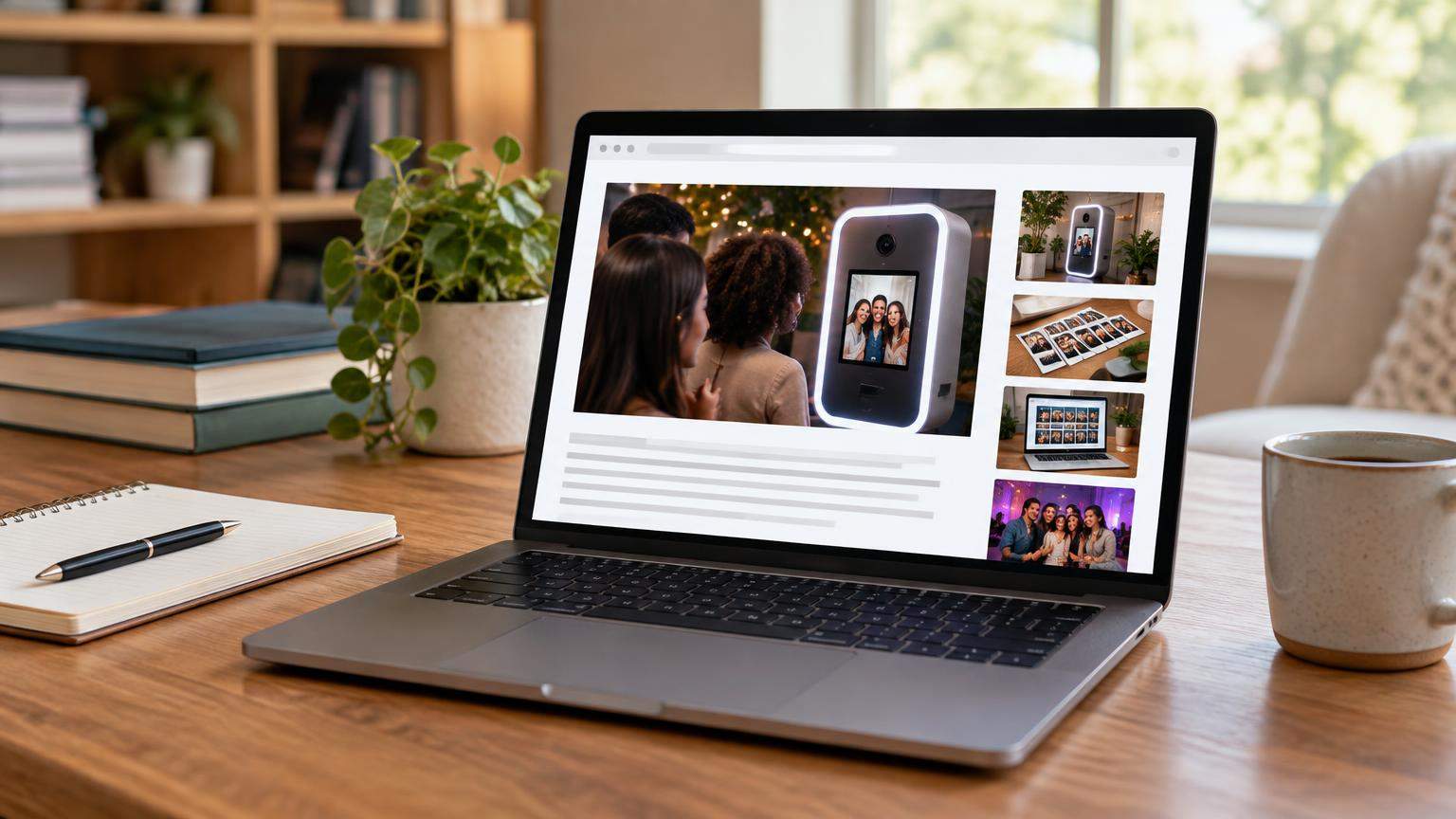
From the outside, many AI booths look similar to traditional ones. The main differences sit in the processing workflow and the connectivity requirements.
Before choosing an AI-powered photo booth, it helps to understand the standard equipment used in event photography. Explore our complete photo booth setup guide for an overview of cameras, lighting, software, backdrops and essential accessories.
Typical hardware components
Common hardware pieces include:
- Camera: DSLR or mirrorless for premium setups (Eleganza, CaptureME and other high‑end vendors), or tablet cameras for compact, self‑service kiosks. [5][6][10]
- Processing device: A Windows mini PC or laptop linked to the camera and screen. DG Photobooth, for example, sells AI‑ready booth PC bundles running Windows 11 Pro to manage capture, AI calls and printing. [10]
- Display and interface: A touchscreen monitor, tablet or mirror glass with integrated screen to guide guests and preview images. [6][10]
- Lighting: Constant LED or flash lighting, ring lights or studio strobes to keep faces evenly lit (important for AI models as well as for print quality). [5][6]
- Printer (optional): Dye‑sublimation photo printers are commonly used for high‑volume 4×6 prints or strips at events. [5][6]
- Connectivity: Reliable Wi‑Fi or wired internet, often explicitly required for AI options. [5][8]
Software and AI models
Most AI photo booths combine three software layers:
- Booth application: Manages capture, on‑screen prompts, layout templates, sharing options and integration with printers. Commercial packages like those sold by DG Photobooth add AI features via credits or monthly plans. [10]
- AI generation service: A cloud (or sometimes on‑premise) service running generative image models. Event providers usually rely on specialised AI vendors or APIs rather than building models from scratch. [1][8][9]
- Gallery and analytics tools: Host event galleries, manage data‑retention rules and, in some corporate contexts, track engagement metrics such as download counts or time spent at the booth. [1][8]
Research into on‑device image generation shows that recent models can run efficiently on edge hardware, reducing the need to send images to the cloud, but there are still trade‑offs between speed, quality and hardware cost. [9]
Types of AI photo booth setups
Different event goals and budgets call for different configurations. Below is a practical comparison of common approaches.
| Booth type | Typical use cases | Main advantages | Key limitations |
|---|---|---|---|
| Web-only AI photo experience | Hybrid conferences, virtual events, large festivals where guests use their own phones. [1] | Low physical setup; can serve thousands of remote guests; easy to embed branding and event links. [1] | Relies entirely on guests’ cameras and connectivity; no on‑site prints; harder to control lighting and background. |
| AI add‑on to a classic DSLR booth | Weddings and corporate events wanting both traditional prints and AI‑generated portraits. [5][6] | High‑quality images; instant prints from standard photos; AI as an optional extra; familiar experience for guests. [5][6] | More complex workflow; AI processing may slow queues; requires stable Wi‑Fi plus traditional booth hardware. [5] |
| Fully managed AI photo booth rental | Brand activations, trade shows, product launches needing bespoke AI themes and on‑site staff. [1][7] | End‑to‑end service (staff, props, custom themes, reporting); consistent branding across AI outputs. [1][7] | Highest cost tier; planning and approvals needed for custom AI looks; strong internet and power requirements. |
Costs and pricing factors in 2026
There is no single price for an AI photo booth. Costs depend heavily on region, event length, equipment, staffing and how advanced the AI experience is. The figures below are real examples from specific providers as of 2025–2026—not market averages.
AI photo booth pricing can vary depending on software, event duration, equipment and customisation. To understand the broader costs of traditional and digital booth services, read our photo booth rental costs and pricing guide. Always confirm current AI-specific pricing directly with the provider.
Example rental and hardware pricing
- Local rental in US cities: EMCO Booth in Chicago advertises AI photo booth rental packages starting around US$399 for shorter bookings and increasing up to about US$599 for six hours, with higher‑end “all‑inclusive” options reaching into the low US$2,000s for extensive features and branding. [7]
- Premium wedding and event packages: Eleganza Events in Miami promotes AI photo booth rentals “from $550”, with DSLR capture, more than 170 AI styles and printing included for multi‑hour events. [6]
- Professional hardware kits: DG Photobooth lists full AI‑ready booth setups—including camera, screen and PC—roughly in the US$2,850–$4,400 range, plus separate AI software subscriptions and per‑month generation credits. [10]
- Premium add‑on experiences: CaptureME’s 2026 lookbook positions its AI experience as a higher‑tier add‑on layered over a standard three‑hour booth, requiring venue Wi‑Fi and including prints and attendant support. [5]
These examples illustrate that AI options are generally priced at a premium compared with the same company’s traditional non‑AI booths. [5][6][7][10]
What drives the price up or down?
When comparing quotes, expect the following factors to influence the cost:
- Duration and guest count: Longer events and higher guest numbers increase both staffing time and AI processing volume.
- Level of customisation: Simple off‑the‑shelf themes cost less than fully bespoke looks trained or tuned for a specific brand or wedding aesthetic. [1][6]
- Hardware quality: DSLR‑based booths with pro lighting, sturdy enclosures and fast printers command higher rental and purchase prices than tablet‑only setups. [5][6][10]
- Staffing and on‑site support: An attended booth with setup, tear‑down, queue management and tech troubleshooting costs more than a self‑service kiosk dropped off for the night. [5][6]
- Prints vs digital only: Unlimited prints require more consumables, additional printers and more buffer time for jams or reprints.
- AI credit usage: Providers pay per image or per GPU‑hour for AI generation, so they often build limits or fair‑use thresholds into their pricing. [1][10]
For organisers, the most useful comparison is between similarly equipped booths in the same city, rather than between different countries or service levels.
Planning an AI photo booth for your event
A smooth AI experience requires more planning than simply dropping a box with a camera into the room. Here are practical areas to consider.
Choosing the right themes
Align AI looks with the tone and audience of the event:
- Weddings: Focus on flattering, romantic or nostalgic styles (e.g., classic black‑and‑white, soft glam, subtle painterly effects). Avoid anything that dramatically alters body shape or age unless couples explicitly ask for it.
- Corporate events: Use styles that reinforce brand values—future‑ready, inclusive, professional—without crossing into caricature or potentially offensive stereotypes. Snapbar highlights campaign‑specific themes for conferences and launches, which can be tailored to brand guidelines. [1]
- Private parties: You can be more playful, but still check that costumes, cultural references and text overlays will be acceptable for all guests, including minors and professional contacts.
Work with your provider to pre‑approve a shortlist of AI looks and disable any that could surprise guests in unsettling ways.
Managing queues and throughput
Generative AI introduces delays that traditional instant‑print booths did not have. Depending on connection and model settings, a transformation can take anywhere from a few seconds to noticeably longer. [5][10]
To keep lines manageable:
- Ask about average processing times for the AI setup you are booking, based on recent events of similar size.
- Use a dual‑flow design: let guests pose and capture at one station, then review, select styles and share at separate screens or on their own phones, so capture isn’t blocked by people composing emails or scrolling galleries.
- Limit the number of AI options offered on site. Too many choices slow down decision‑making and can multiply processing load.
- Offer a standard photo fallback: if AI rendering is slow or the internet dips, the booth can still capture and print classic photos, with AI images delivered later when connectivity improves. [5][10]
Prints, digital delivery and branding
Decide how you want guests to leave with their images:
- Instant prints: Great for weddings and galas where guests expect a physical keepsake. Be sure to confirm print format, layout and how many copies per group are included. [5][6]
- Digital galleries: Essential for corporate events that want post‑event engagement, or for hybrid conferences where remote attendees join via a web AI booth. [1][8]
- Brand overlays: Logos, event hashtags and sponsor marks can be embedded in AI artworks and print borders; Snapbar and similar providers emphasise these options for campaigns. [1]
For corporate events, check whether you will receive analytics such as total photos generated and top‑used styles, and how those metrics are derived. [1][8]
Troubleshooting and contingency planning
Ask your provider how they handle common problems:
- Connectivity loss: Is there a local queue that stores photos and submits them when Wi‑Fi returns? Can the booth switch to non‑AI capture temporarily? [5][8]
- High load on the AI service: Are there maximum guest counts per hour or safeguards to avoid long backlogs?
- Hardware failure: Do they bring backup cables, cameras or a spare tablet? How quickly can they switch to a backup plan?
- Inappropriate outputs: What filters or content‑safety measures are in place to prevent AI from generating offensive imagery or text? [3][8][9]
Clarifying these details up front helps avoid awkward moments on the day.
Image suggestions for your planning deck
If you are preparing a pitch deck or internal proposal, imagery can help stakeholders visualise the experience:
- Featured image suggestion: A reception hall scene with a slim kiosk on the right; on its screen, a split‑view shows the original guest photo alongside a colourful AI‑styled portrait. ALT text: “Guests at a modern event using an AI photo booth that shows before‑and‑after portraits on a tall touchscreen kiosk.”
- Inline image – workflow diagram: A simple graphic with arrows: “Guest poses → Photo captured → AI transforms → Print & share.” ALT text: “Diagram showing the step‑by‑step process of an AI photo booth from capture to sharing.”
- Inline image – hardware comparison: Side‑by‑side silhouettes of a DSLR‑based booth with printer and a compact tablet stand. ALT text: “Comparison of a full DSLR photo booth with printer next to a minimalist tablet-style AI booth.”
- Inline image – privacy flow: A flowchart of image data moving from camera to cloud AI to gallery, ending with deletion. ALT text: “Privacy diagram illustrating how guest photos from an AI booth are processed, stored and deleted.”
Privacy, consent and guest trust
AI photo booths sit at the intersection of photography, data protection and emerging AI regulation. Planning ahead on consent and privacy is as important as choosing the right backdrop.
Personal data vs biometric data
Under frameworks such as the EU’s GDPR, ordinary event photos are treated as personal data. When systems create and store facial templates that can later identify a person, that processing can fall into a special category of biometric data with stricter rules. [3][4]
Camfetti’s GDPR guide for event photography stresses that event organisers need to distinguish between:
- Simple photograph processing for decorative or souvenir purposes; and
- Technologies that analyse faces to recognise people, estimate age or generate persistent biometric profiles.
If an AI photo booth simply applies generative artistic styles without building a searchable facial database, it is usually treated differently from a facial recognition system used for access control. [3][4] However, classification can be nuanced, and local rules vary, so organisers should check with legal counsel for high‑risk use cases.
Consent at the booth
Practical steps for transparent consent at events include:
- On‑screen notices: A concise notice when guests start the booth that explains what happens to their photo, where AI processing occurs and how long images are kept. [3][8]
- Physical signage: A sign near the booth stating that AI image processing will occur, with a link or QR code to a more detailed privacy notice. KonfHub, for example, provides an AI privacy notice describing how event images are processed in AI experiences. [8]
- Opt‑out options: Clear ways to decline AI processing—such as offering a standard photo mode or allowing guests to step away without penalty.
For events with minors, it is prudent to obtain parental or guardian consent and avoid highly transformative or suggestive AI styles. [3]
Where and how long photos are stored
Key questions to put to your provider include:
- Where is AI processing performed? On servers in your country, within a particular region, or globally? KonfHub’s AI notice, for instance, clarifies that data used in its AI photo booth and gallery features may be processed by specific cloud providers under contractual safeguards. [8]
- Data‑retention period: Camfetti’s GDPR guidance recommends defining how long event images are stored and encouraging short retention for casual events. [3]
- Deletion and access rights: Can guests later request deletion of their images and associated AI outputs? How can they do so in practice?
- Model training: Are guest images ever reused to train or fine‑tune AI models? If so, this generally requires a clear, separate consent. [3][8]
Written answers—ideally in a data‑processing agreement for corporate clients—help clarify responsibilities.
Handling minors and sensitive content
Even when local law does not mandate special forms, privacy experts encourage extra caution with children’s images. [3][4]
Practical measures include:
- Limiting AI styles to age‑appropriate, non‑violent, non‑sexualised themes.
- Avoiding features like age guessing, emotion analysis or profiling, which can be considered intrusive.
- Allowing parents to decline AI processing for their children while still offering a standard photo if desired.
Misleading AI portraits and reputational risks
Regulators such as France’s data‑protection authority (CNIL) have warned more broadly about AI‑driven facial manipulations, including deepfakes and undisclosed image alterations, which can affect dignity, reputation and trust. [4]
Applied to events, organisers should consider:
- Clear labelling: Indicate that certain images are AI‑generated or heavily stylised, especially if they will appear in corporate communications.
- Policy for professional uses: At career fairs or corporate headshot events, clarify that AI portraits are for fun or branding, not official ID or HR records.
- Respecting guest boundaries: Avoid AI styles that significantly lighten/darken skin tone, change apparent gender, or otherwise create a likeness that could be interpreted as mocking or deceptive.
By taking these steps, event teams can enjoy the creative upside of AI while reducing the risk of unpleasant surprises later.
AI photo booth vs traditional photo booth
Traditional photo booths have been part of public spaces and events since the early 20th century, offering automated portrait strips and later digital prints with basic effects. [2] How do they compare with AI booths in 2026?
Experience and creativity
- Traditional booths: Familiar, straightforward experience: step in, pose, get a strip or single print. Customisation revolves around backdrops, props and print layouts. [2]
- AI booths: Offer a broader range of visual outcomes, from painterly portraits to fantasy scenes, with more room for branding and storytelling. [1][5][6]
Speed and reliability
- Traditional booths: Typically faster from capture to print because processing is limited to local cropping and filters.
- AI booths: Introduce network and model‑processing delays, which can slow queues if not managed carefully or if the connection is unstable. [5][10]
Cost and complexity
- Traditional booths: Mature technology with well‑understood rental pricing; generally cheaper than equivalent AI‑enhanced setups from the same provider. [5][6][7]
- AI booths: Add costs linked to AI processing, custom thematic design and extra support, but deliver more distinctive outputs that some brands and couples consider worth the premium. [1][5][6][7][10]
Privacy considerations
- Traditional booths: Still handle personal data (photos, possibly email or phone for delivery), but usually without complex AI or biometric analysis. [2][3]
- AI booths: Require closer attention to AI processing, cross‑border data transfers and how long images and outputs are retained. [3][4][8]
For many events, a hybrid approach—traditional instant prints with an optional AI upgrade—offers a good balance of speed, familiarity and novelty.
Frequently Asked Questions
Are AI photo booths safe for guest privacy?
They can be, provided that organisers choose reputable vendors, obtain clear consent and verify how images are processed, stored and deleted. GDPR‑focused guidance advises clarifying whether any biometric templates are created, how long images remain on servers, and whether they are reused for model training. [3][4][8]
Do AI photo booths work without the internet?
Most commercial AI booths in 2026 rely on cloud‑based models and therefore need stable internet. Some providers note “Wi‑Fi required” for AI packages, even when standard photos and prints can operate offline. [5][10] On‑device generative AI is technically possible, but less common in turnkey rental offerings. [9]
How long does it take to generate an AI photo?
Exact times vary by model, resolution and connection quality. In general, AI rendering adds noticeable latency compared with classic instant prints. Providers that bundle AI with traditional booths often mitigate this by limiting styles, using efficient models or separating capture from sharing stations. [5][10]
Can guests opt out of AI and just take a normal photo?
Many hybrid setups allow guests to choose between a standard photo and an AI‑styled version. When privacy or comfort is a concern—particularly for minors or VIPs—offering a non‑AI option aligns with consent‑based best practices discussed in GDPR‑oriented resources. [3][5]
Is an AI photo booth worth it for a small wedding or party?
It depends on your priorities and budget. AI booths usually cost more than traditional ones from the same provider but can deliver unique, themed keepsakes and social‑media‑ready images. Example prices from US vendors show entry‑level AI rentals starting in the mid‑hundreds of dollars for several hours, with more elaborate options costing more. [6][7]
Disclaimer
This article provides general information about AI photo booths for events as of 2026 and is not legal, regulatory, financial or technical advice. Data‑protection rules, AI regulations and commercial offerings vary by jurisdiction and may change over time. Event organisers should review the latest documentation from their chosen vendors and, where necessary, seek independent legal or professional advice before making decisions about data handling, consent or contracts involving guest images and AI processing. [3][4][8]
Sources and Further Reading
Primary and supporting references. Verify time-sensitive information at the original publisher.
- Ai Photo Booth — snapbar.com
- Photo Booth — en.wikipedia.org
- Gdpr Event Data Privacy — camfetti.com
- Facial Recognition — www.cnil.fr
- 2026 Lookbook CaptureME Photo Booth® — prod-partyslate.s3.amazonaws.com
- Ai Photo Booth — www.eleganza.events
- Ai Photo Booth — www.emcobooth.com
- Aiprivacynotice — konfhub.com
- 2605 30544 — arxiv.org
- Pricing — dgphotobooth.com
Research date: October 18, 2026 (UTC). Links may change.